Video calls
Lean back, stand up, reach for a notebook: you stay in the middle of the picture in Zoom, Meet, Teams or Slack.
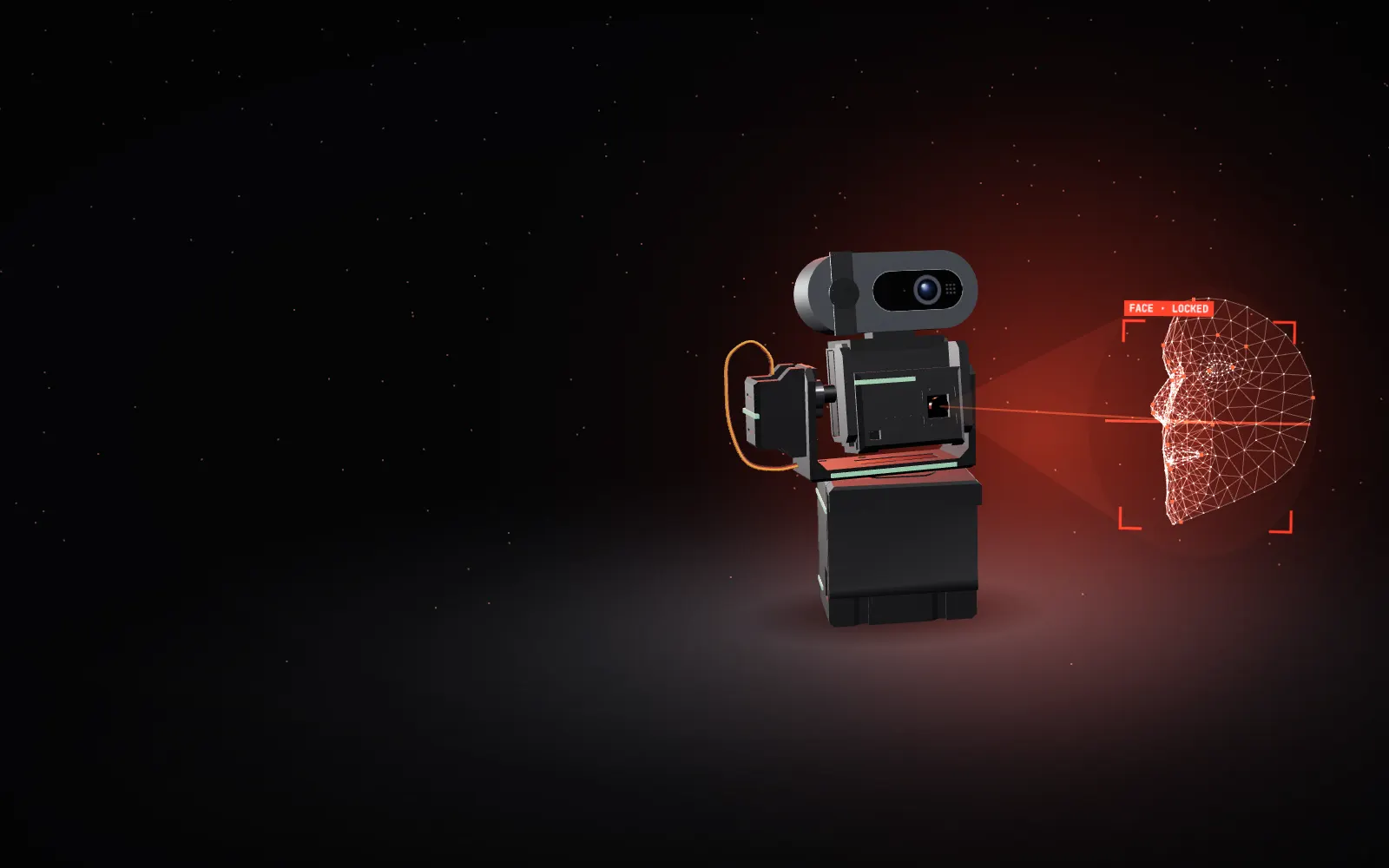
An open-source, 3D-printable pan/tilt robot. Clip your webcam on top, hang it on the laptop lid, and it turns to keep you centered on every call. About $22 in parts, AI on a $6 chip, zero cloud.
Every piece is on one print plate: 134 g of PETG, 5 h 16 min, no supports. Parts slide, press and screw together, and the lid clip locks itself under the device’s own weight.
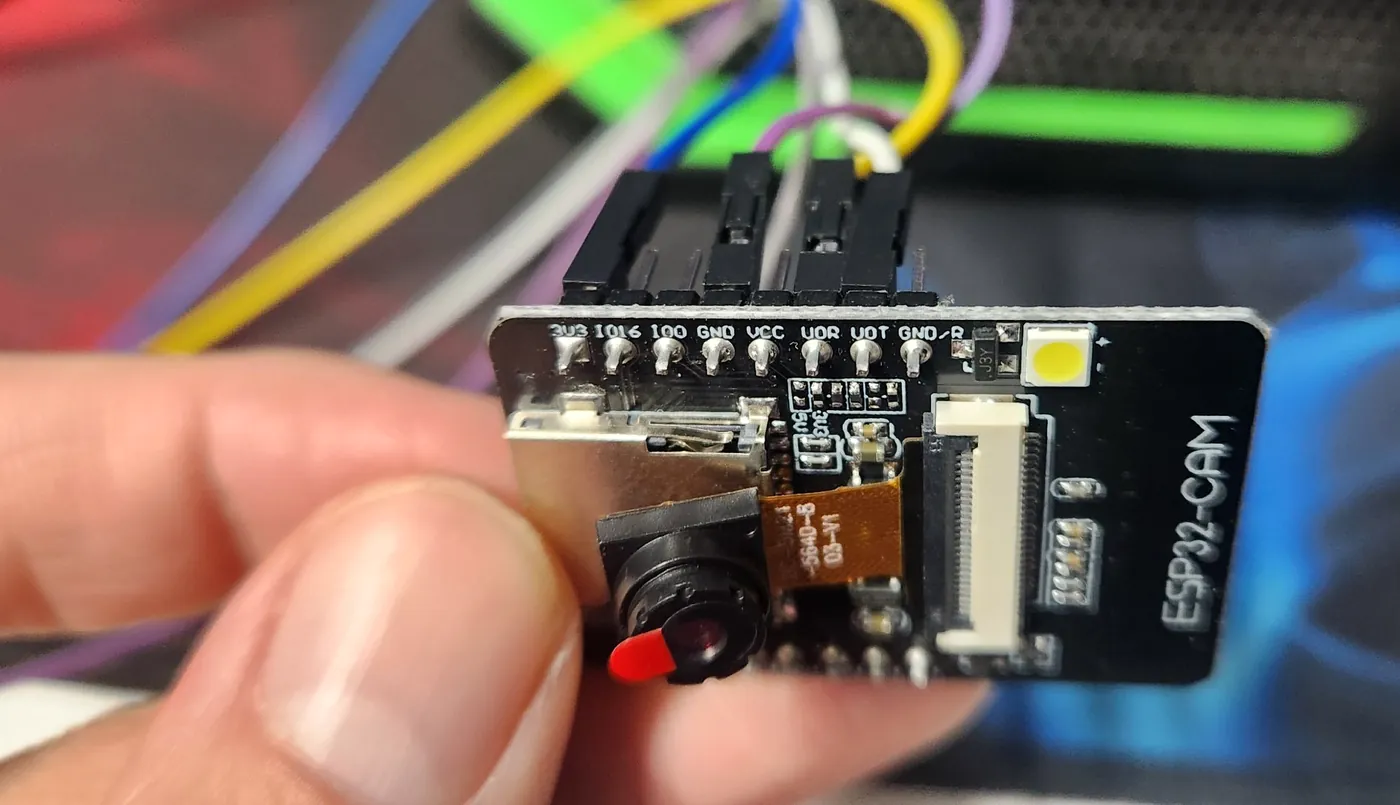
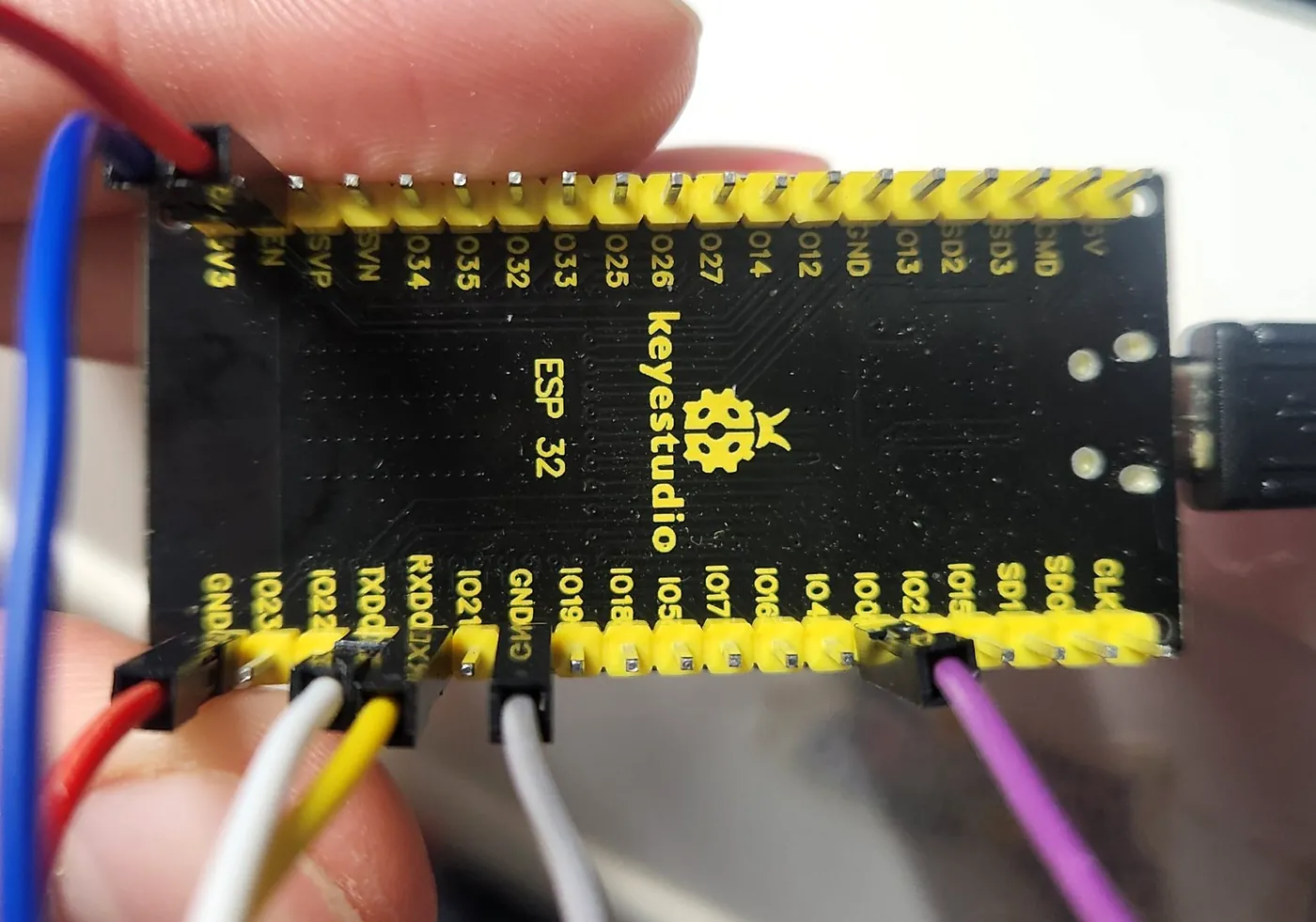
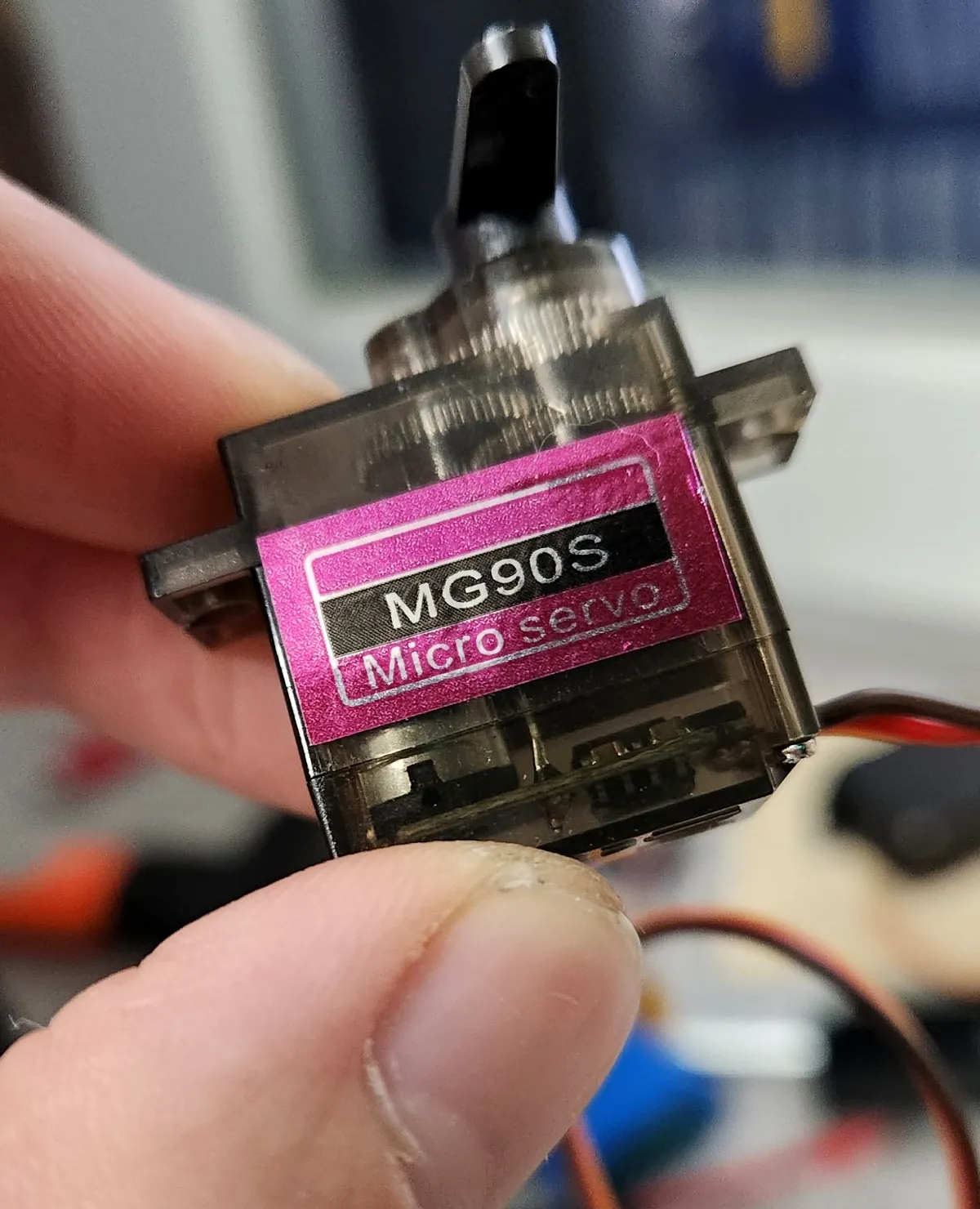
The ESP32-CAM is the eye: it finds your face on-chip with Espressif’s esp-dl detector. The main ESP32 is the brain: it turns face coordinates into eased servo moves. Two MG90S metal-gear servos are the neck.
The tracking camera reports your face 7 times a second over two wires. The main board compensates for camera lag, then moves both axes with critically damped easing: no overshoot, no jitter, no cloud.
The firmware never starts Wi-Fi or Bluetooth. Only face coordinates travel, over a wire, to the board that moves the servos. Your webcam’s video goes straight to your laptop and never touches OKO-1.
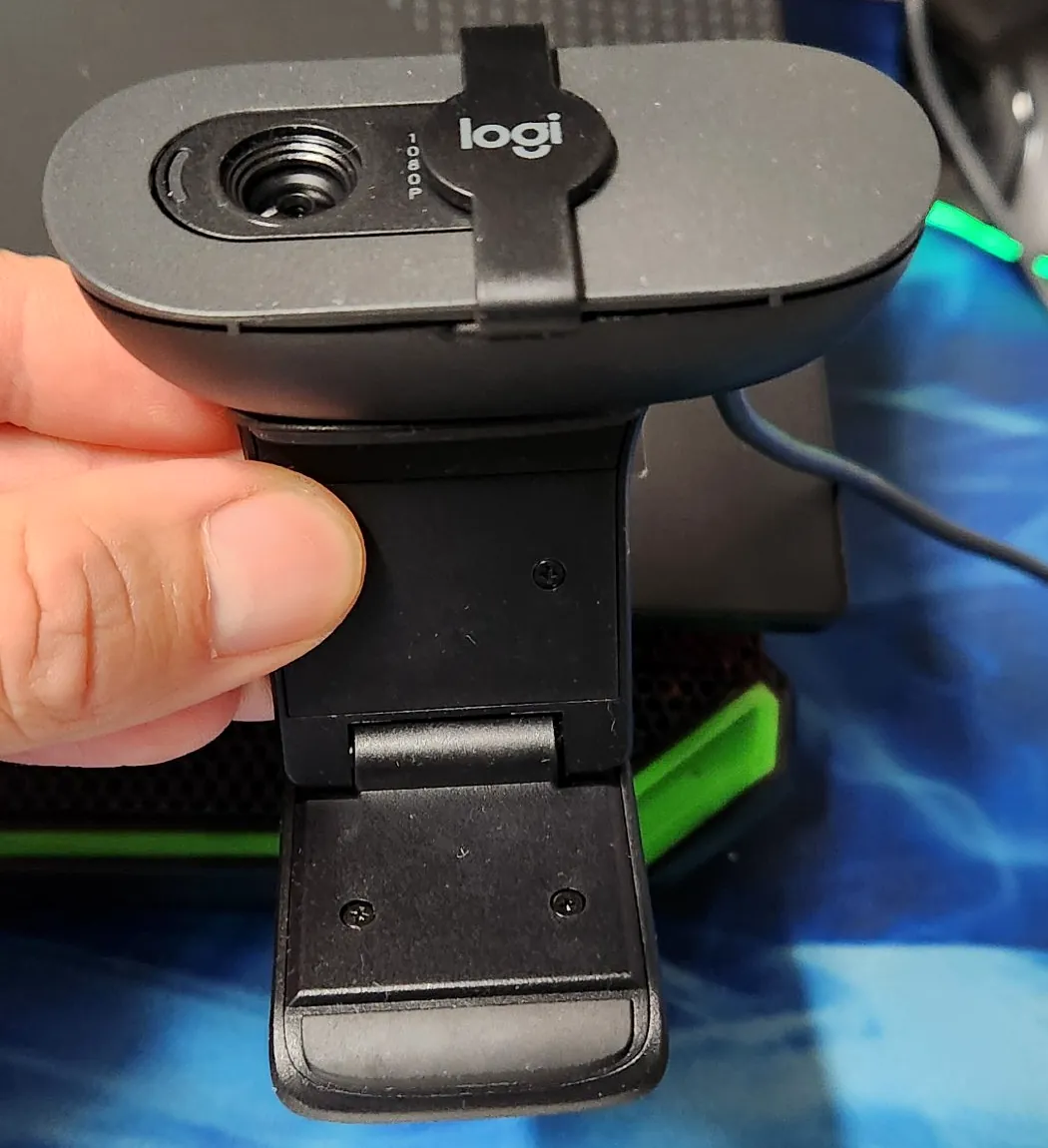
The housing hangs behind the screen and leaves only a 6 mm lip in front, with a cut-out for the laptop’s own camera. Your webcam clips onto the head like onto a monitor. Prefer the desk? Print the stand.
Measured on the assembled device, not promised on a slide. Every number below comes from the firmware logs, the slicer or a price tag.
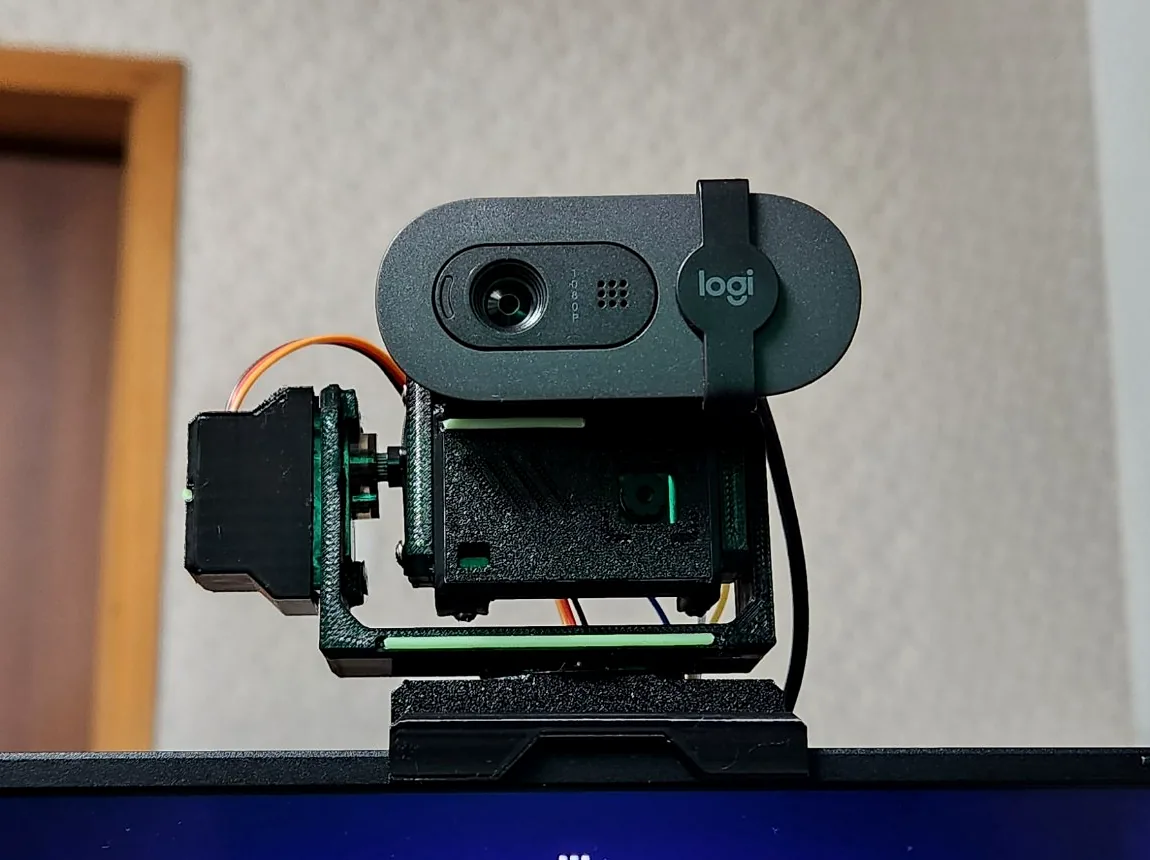
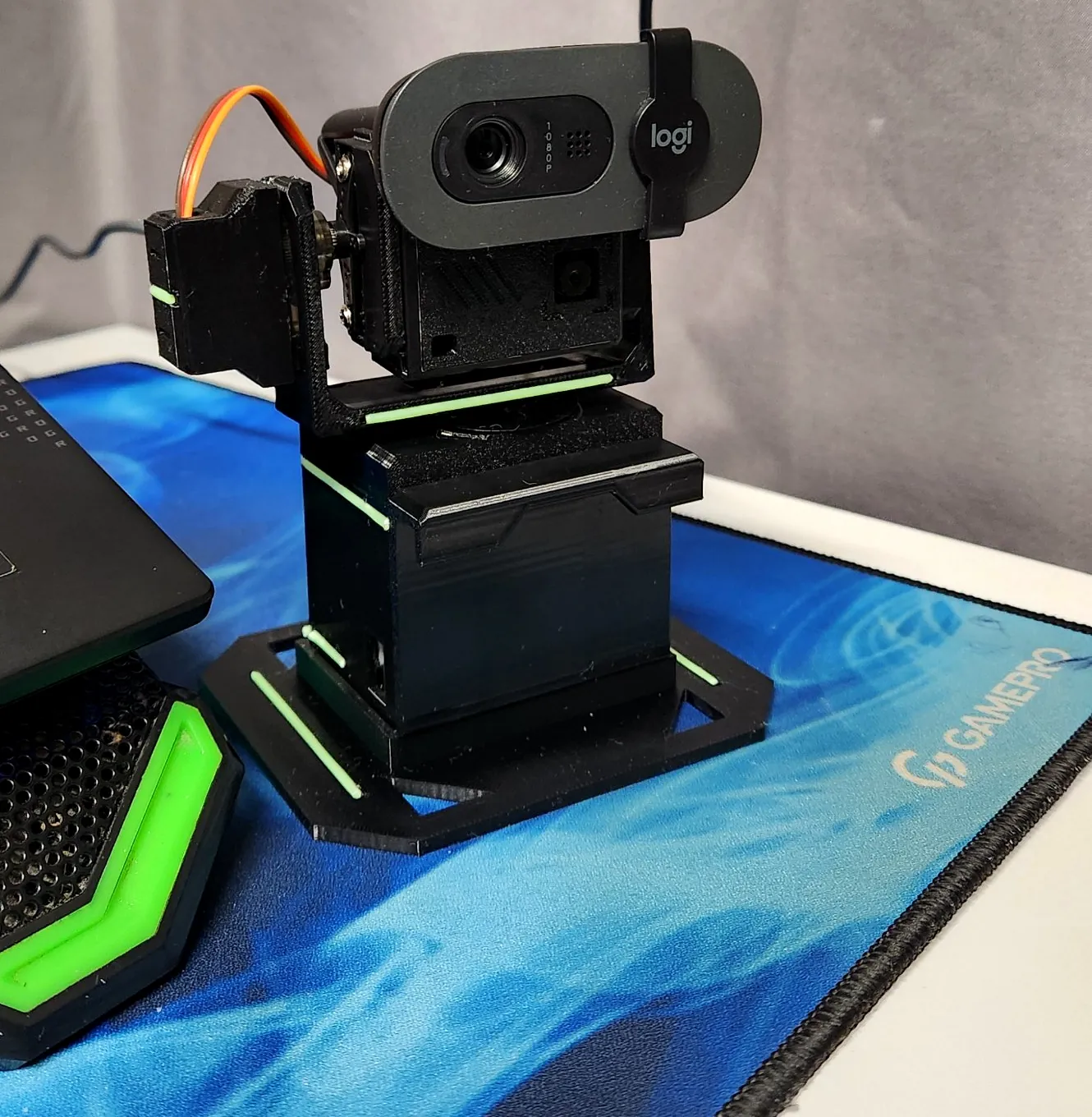
Left: a real video call. The Logitech webcam rides on OKO-1 while it keeps the face in frame as the head moves around. Right: the turret on its desk stand, turning to follow the person filming it.
Not a render. This is a real OKO-1, printed on a Bambu Lab P1S in black PETG and assembled in Dnipro.
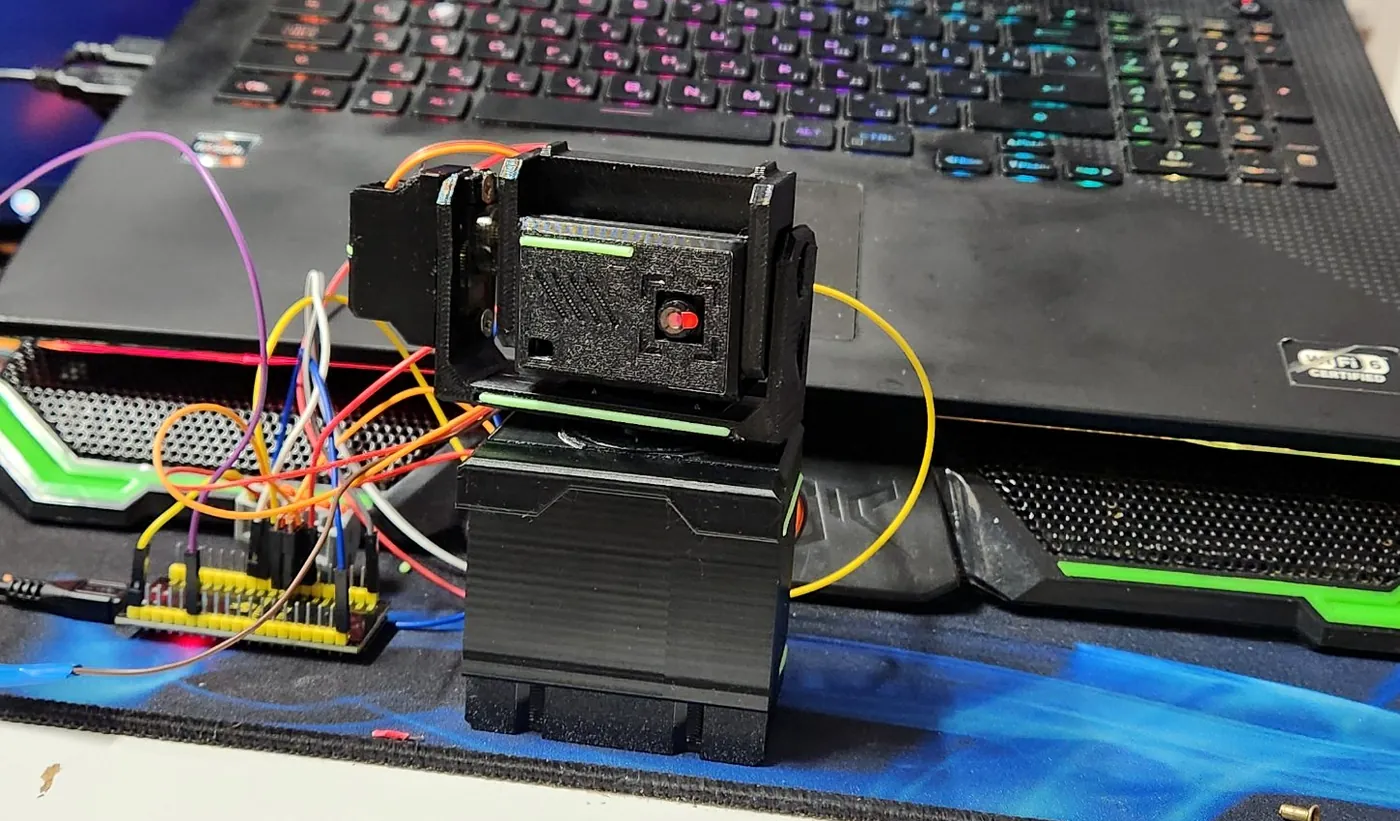
Gimbal webcams hide the tracking inside the camera, so you have to buy theirs. OKO-1 separates the eye from the camera: a $6 ESP32-CAM does the looking, and your own webcam just rides along.
320 × 240 frames from the tracking camera on the head.
esp-dl face detector runs on-chip. After the first lock it only searches a window around your face.
Lag-compensated control law, dead zone, aim offset for your webcam, home after 6 s without a face.
Critically damped easing: 90 % of a move in 500 ms, no overshoot.
Untouched. Plugs into the laptop as usual and works in Zoom, Meet, OBS, Teams.
A camera that turns with you is not a gadget trick. It changes how you can work on camera: stand up, walk to the board, lean back, and the picture keeps up.
Lean back, stand up, reach for a notebook: you stay in the middle of the picture in Zoom, Meet, Teams or Slack.
Move between the desk and a whiteboard or a product on the table without asking someone to fix the camera.
Switch between sitting and standing mid-call; tilt follows your height.
Talking-head videos and tutorials with a camera that keeps up when you move. Works in OBS like any webcam, because it is your webcam.
Commercial AI-tracking webcams bundle the motors, the AI and the camera. OKO-1 reuses the webcam you already have and adds the rest for about $22.
Official launch prices in USD: OBSBOT Tiny SE $99, Insta360 Link 2 $199. OKO-1 total from the parts list below. Your webcam is not included because you already own one.
Seven lines. No soldering iron, no programmer board, no special tools. A 3D printer, a USB cable and an evening.
| Part | Qty | Price, $ | Where |
|---|---|---|---|
| ESP32 DevKit (ESP32-WROOM-32, CP2102)Main board: servo control and USB power | 1 | 4.40 | AliExpress ↗ |
| ESP32-CAM AI-Thinker + OV2640Tracking eye: on-device face detection | 1 | 6.40 | AliExpress ↗ |
| MG90S metal-gear micro servo (pack of 2)Pan and tilt | 2 | 6.15 | AliExpress ↗ |
| Dupont jumpers 20 cm (F-F + M-F, 40 each)4 to the camera, 2 per servo | 1 | 3.20 | AliExpress ↗ |
| WAGO-type 3-way lever connectorSplits USB 5 V to both servos (sold in packs of 10, ≈$1.9) | 1 | 0.20 | AliExpress ↗ |
| PETG filament, 134 g of a 1 kg spoolWhole kit, one plate, no supports | 1 | 2.00 | AliExpress ↗ |
| Screws M2.5-M3 x 8-10 mmPlus the screws from the servo bags | 4 | — | from your parts box |
| Total | ≈$22 |
Real AliExpress listings checked on 18 Nov 2026, item prices before shipping (shipping depends on your country). Any seller works: these are standard parts. Prices move; treat them as a guide.
The full manual has wiring tables, print orientations, flashing commands and troubleshooting. Here is the order of work.
One plate, PETG, no supports. Print the fit-test plate first: lid clip, head rib and camera mask.
Main ESP32 over USB, then the ESP32-CAM through it. No extra programmer.
Four wires to the camera, three per servo, one WAGO for 5 V.
12 assembly steps, two servo screws, four self-tappers. Plug in and it finds you.
Print files, CAD, firmware and the CAD source code. Free for personal and commercial use under MIT (code) and CC BY 4.0 (hardware and docs).
Full kit on one plate + fit-test plate, sliced for P1S / X1C PETG.
Every part already in print orientation. Any slicer.
Parts and full assembly for Fusion, FreeCAD, SolidWorks, Onshape.
ESP32 main board + ESP32-CAM sketches and flashing scripts.
OKO-1 was designed with AI, so it should be built with AI too. Copy this into Claude and it will walk you through shopping, printing, flashing, wiring and tuning, one step at a time.
You are my build assistant for OKO-1 by SDTech, an open-source face-tracking turret for any webcam.
Project repo: https://github.com/ghostoman/oko   Site: https://sdtech.page

Hardware: ESP32 DevKit (main board), ESP32-CAM AI-Thinker with OV2640 (tracking camera, on-device face detection),
2x MG90S servos (pan IO18, tilt IO19), WAGO 221-413 for 5 V, Dupont wires. ESP32-CAM -> main: 3V3-3V3, GND-GND, U0T-IO16, U0R-IO17.
Print: PETG, 0.20 mm, 4 walls, 20 % gyroid, 245 °C, no supports, 134 g, one plate.

Walk me through the build one step at a time and wait for my "done" before the next step:
1. Ask what I already have (printer, slicer, boards, OS) and make me a shopping list with what is missing.
2. Printing: which files to download from the repo, how to slice, what to check after the fit-test plate.
3. Flashing: install Arduino CLI / esp32 core, flash the main board, then the ESP32-CAM through bridge mode.
4. Wiring with exact pin tables, then mechanical assembly in the order from the repo manual.
5. First run and tuning (flip pan/tilt, aimx/aimy, smooth), and troubleshooting if I paste the serial monitor output.
Explain like I am new to electronics, keep each message short, and warn me before anything that could damage a board.
Small, open, AI-driven devices that see, decide and move in the real world.
Pages and links. The internet as a library.
Social, mobile, cloud. Everyone publishes.
Wallets and protocols. Ownership of data and value.
AI plus cheap hardware. Software with eyes and hands, built by one person in weeks.
SDTech is where I build that layer in the open: devices like OKO-1 that cost less than a dinner, run AI on the edge, and ship with every file you need to make your own. Designed with AI as a co-engineer, from the CAD code to the firmware to this website.
I’m Serhii Dovhyi, a designer and developer from Dnipro, Ukraine. After more than ten years in design and software, I took the same craft into hardware and robotics.
Websites, interfaces and web graphics for clients around the world. Where it all started.
After Effects, Cinema 4D, Lottie, Rive, GSAP and Three.js for SaaS, FinTech and AI teams in the US, Europe and Australia. 330+ projects, Top Rated Plus on Upwork.
Full-cycle websites, web apps and SaaS, designed, coded and deployed end to end: SnipeWork, an AI-powered Upwork job scanner, and free tools for designers.
The next step after software. With AI engineering tools like Codex and Claude as a co-engineering team: CAD written as code, ESP32 firmware, 3D-printed mechanics, a robot arm and a walking robot.
Open-source AI devices that see, decide and move. OKO-1 is out with every file you need; more devices are in the works.
Yes. OKO-1 does not use your webcam for tracking at all. A separate ESP32-CAM on the head finds your face, and your webcam just rides on top and stays plugged into the laptop as usual. Anything with a monitor-style clip fits the head rib; it was developed with a Logitech Brio 100.
Those are complete cameras with motors and tracking built in, from about $99 to $199. OKO-1 is a motorized mount that adds the same idea to the webcam you already own, for about $22 in parts. It is fully open source, so you can print, repair and modify every piece.
Yes. Your computer only sees your own webcam, exactly as before. OKO-1 takes 5 V from any USB port or phone charger and needs no driver, app or account to track.
No. Face detection runs on the ESP32-CAM chip itself. Wi-Fi and Bluetooth are never started in the firmware, the tracking camera only sends face coordinates over two wires to the main board, and your webcam picture never touches OKO-1.
About 7.2 face detections per second on the ESP32-CAM, measured on hardware. Between detections the servos move with critically damped easing, so motion stays smooth instead of jerky.
A 3D printer (PETG), an ESP32 DevKit, an ESP32-CAM with OV2640, two MG90S servos, a few Dupont wires and a WAGO connector. About $22 in parts. No soldering and no separate programmer.
Yes. Send the STL files to any online 3D printing service or a local makerspace and ask for PETG. It is one small plate of about 134 g, so it is a cheap job. Everything else is off-the-shelf electronics.
MG90S micro servos make a soft whir while the head moves and stay silent when you sit still, thanks to the 2° dead zone.
Yes. Print the optional desk stand and slide the housing into it.
Firmware and code are MIT. 3D models, print files and documentation are CC BY 4.0. Build it, sell it, remix it; keep the credit to SDTech / Serhii Dovhyi.
Yes. SDTech designs AI-driven devices, firmware, 3D-printed enclosures and the websites that launch them. Write to sergey@sdtech.page.
Prototypes, firmware, 3D-printed enclosures, AI on microcontrollers, and the launch site with 3D and motion. Or hire me into your team. Write in English, Ukrainian or Russian.
sergey@sdtech.page